How I Built TrueFace: A Real-Time AI Face Recognition System
How I built TrueFace, a real-time AI face recognition system using Next.js, FastAPI, FaceNet, MTCNN, SQLite, and browser-based face detection.
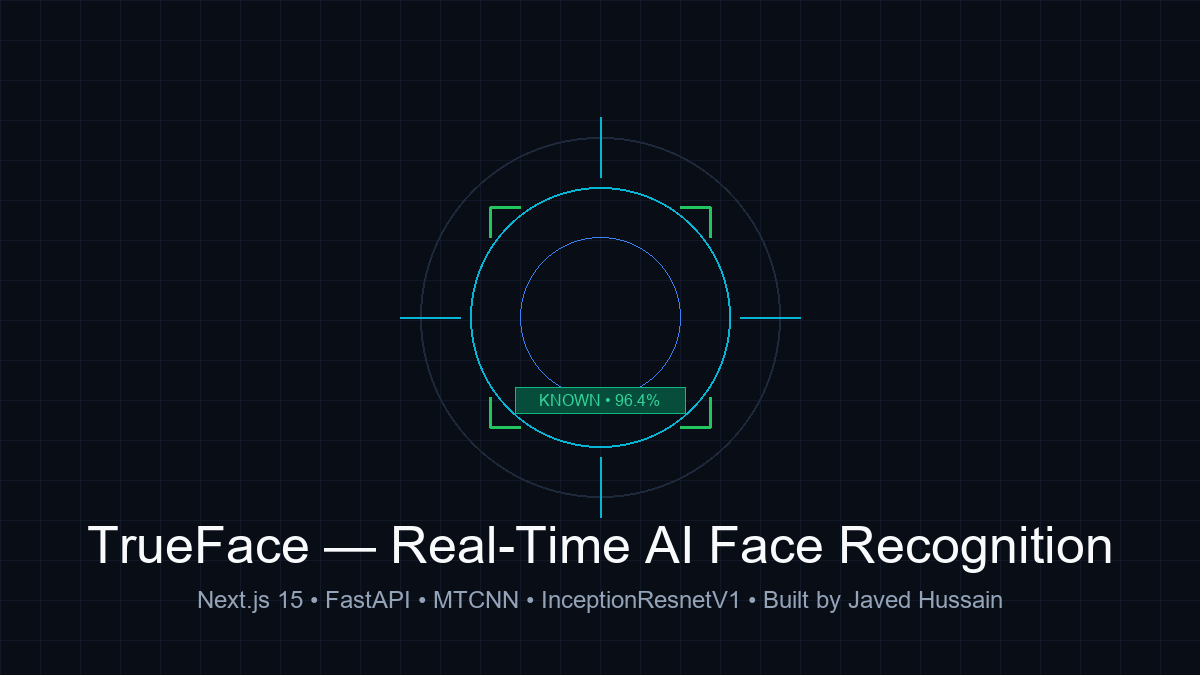
Introduction
When I first started exploring computer vision, almost every tutorial I encountered followed the same pattern: open a Jupyter Notebook, import OpenCV, load a static JPEG image, pass it through a pre-trained model, and plot a bounding box.
While that demonstrated that a model could detect a face, it didn't feel like building software. In the real world, faces don't arrive as clean, pre-cropped static images. They arrive as continuous video streams from a user's webcam, with varying angles, shifting room lighting, background noise, and natural movement.
More importantly, detecting that a face exists inside a frame is only half the equation. The real question is: Who does that face belong to?
To answer that question and understand how practical computer vision systems function end-to-end, I built TrueFace—a real-time AI face recognition application.
The core concept is simple and immediate:
- A webcam stream detects human faces in real time.
- The system analyzes the facial structure and determines whether the individual is known or unknown.
- If they are known, their identity, role, and confidence score are rendered instantly.
- If they are unknown, the system allows the operator to capture 3–5 representative images, assign a name and role, and register them on the fly. From that moment forward, they are recognized.
The engineering challenge was not merely drawing boxes around faces. It was orchestrating low-latency browser processing, deep-learning inference in Python, high-dimensional vector math, and persistent database storage into a coherent, responsive application.
Why I Built TrueFace
A common misconception among beginner developers is that face recognition is a single monolithic algorithm. When people say "AI recognized my face," it sounds as though one neural network ingested a raw video feed and directly outputted a name.
I built TrueFace because I wanted to dismantle that black box. I wanted to understand:
- Detection vs. Recognition: Why finding where a face is located in a frame requires an entirely different model architecture than determining who that face belongs to.
- The Power of Embeddings: How deep convolutional neural networks convert human facial geometry into compact mathematical vectors in a high-dimensional coordinate space.
- Similarity in High-Dimensional Space: Why Euclidean distance and cosine similarity allow us to compare two faces mathematically without ever training a custom model for each new person.
- Full-Stack AI Architecture: How to build a clean separation between client-side rendering and server-side machine learning inference.
TrueFace was designed as a hands-on technical project to explore these concepts from the ground up, translating academic machine learning into a working, full-stack application.
The Core Concept: Detect, Recognize, Register
At the functional level, TrueFace is organized around three distinct responsibilities:
1. Detect
Before any identity can be determined, the application must identify facial coordinates within the raw video stream. The webcam feed produces dozens of frames per second. If the system attempted to ship every full-resolution frame across the network to a backend server, bandwidth consumption would explode and latency would make the user interface completely unusable. Detection must occur with minimum overhead to provide immediate visual feedback.
2. Recognize
Once a face region is isolated, that facial crop is processed through a deep-learning embedding model. The model computes a mathematical fingerprint of the face. That vector is then compared against a database of previously enrolled individuals. If the cosine similarity exceeds a predetermined threshold, the person is verified as Known; otherwise, they remain Unknown.
3. Register
Instead of requiring hours of model fine-tuning or retraining, TrueFace enables dynamic enrollment in seconds. By capturing 3 to 5 images across slight head turns and natural expressions, the system generates representative embeddings and stores them in SQLite. The moment registration completes, subsequent frames immediately match against the new identity.
System Architecture
To balance real-time responsiveness with heavy deep-learning inference, I separated the system into a client-side perception layer and a server-side recognition layer:
  [ Webcam Video Stream ]
            │
            ▼
  [ Next.js 15 Client Browser ]
  ┌────────────────────────────────────────┐
  │ TinyFaceDetector (WASM / face-api)     │ ──► Instant Bounding Boxes (15-30 FPS)
  │ Smoothing & Frame-Skip Engine          │
  └────────────────────────────────────────┘
            │
            │  Crop Payload (Base64 JPEG)
            ▼
  [ FastAPI Backend (Python 3.9+) ]
  ┌────────────────────────────────────────┐
  │ POST /recognize                        │
  │ MTCNN (Face Alignment & Normalization) │
  │ InceptionResnetV1 (VGGFace2 Weights)   │ ──► Generates 512-D Embedding Vector
  └────────────────────────────────────────┘
            │
            ▼
  [ Vector Similarity Engine ]
  ┌────────────────────────────────────────┐
  │ Cosine Similarity vs. Registered DB    │
  │ Match Threshold Evaluation (0.45)      │
  └────────────────────────────────────────┘
            │
      ┌─────┴────────────────┐
      ▼                      ▼
  [ Match >= 0.45 ]     [ Match < 0.45 ]
  Status: Known         Status: Unknown
  (Name, Role, Conf%)   (Prompt Registration)
            │                      │
            └──────────┬───────────┘
                       ▼
  [ SQLite Persistence & Audit Logging ]
  ┌────────────────────────────────────────┐
  │ Stores: Name, Role, Embedding Vectors, │
  │ Timestamps, Confidence Scores          │
  └────────────────────────────────────────┘
Why I Used Two Sides of AI Processing
One of the most consequential architectural decisions in TrueFace was deciding where each computation should live.
The Browser Side (Perception & UX)
In the browser, I integrated @vladmandic/face-api utilizing the lightweight TinyFaceDetector model.
Running TinyFaceDetector inside the client's browser via WebAssembly provides several massive advantages:
- Instant Visual Feedback: Bounding boxes track the user's face at roughly 15–30 frames per second without waiting for round-trip network requests.
- Bandwidth Conservation: The browser does not stream continuous high-definition video to the server. The camera stream stays local to the device.
- Client-Side Cropping: The client only extracts and transmits tightly cropped face regions when a recognition cycle is triggered.
The Backend Side (Deep Recognition & Persistence)
While browser models are great for lightweight detection, extracting robust, discriminative 512-dimensional face embeddings capable of distinguishing hundreds of different people requires a substantial deep neural network.
Running the embedding and matching pipeline on the FastAPI backend delivers:
- High-Accuracy Representation: Leveraging
facenet-pytorchwith InceptionResnetV1 pre-trained on the comprehensive VGGFace2 dataset. - Centralized Identity Database: A single, authoritative SQLite store of enrolled embeddings that all client sessions can query.
- Decoupled API Architecture: The Python backend operates as a stateless microservice exposing clean REST endpoints (
POST /recognize,POST /add-person,GET /logs).
By splitting detection to the browser and recognition to the server, TrueFace achieves the fluid visual responsiveness of a client-side app with the analytical power of server-side PyTorch.
How Face Recognition Actually Works in TrueFace
To understand how TrueFace recognizes an individual, we have to look at the mathematical pipeline that transforms raw pixels into an identity decision.
1. Face Alignment with MTCNN
When the cropped image reaches the FastAPI backend, the image is passed to MTCNN (Multi-task Cascaded Convolutional Networks). MTCNN detects five facial landmarks: two eyes, the tip of the nose, and the two corners of the mouth. Using these coordinates, the face is geometrically aligned and normalized into a standard 160×160 pixel tensor, eliminating tilt and perspective distortion.
2. Feature Extraction with InceptionResnetV1
The aligned 160×160 tensor is fed into InceptionResnetV1. Rather than classifying the image into predefined categories (e.g., "cat" vs. "dog"), the final classification layer is removed.
Instead, the network outputs a 512-dimensional vector of floating-point numbers:
$$\vec{v} = [x_1, x_2, x_3, \dots, x_{512}]$$
This vector represents the face's location in a high-dimensional feature space. Faces with similar geometry (jaw shape, eye socket depth, distance between pupils) map to vectors that lie close to each other in this coordinate space, while different faces map to distant coordinates.
3. Cosine Similarity Matching
When an incoming face embedding $\vec{a}$ is generated, it is compared against every enrolled embedding $\vec{b}$ stored in the SQLite database using Cosine Similarity:
$$\text{Cosine Similarity}(\vec{a}, \vec{b}) = \frac{\vec{a} \cdot \vec{b}}{|\vec{a}| |\vec{b}|}$$
In Python, this is executed using NumPy:
def cosine_similarity(a: np.ndarray, b: np.ndarray) -> float:
    """
    Compute cosine similarity between two face embedding vectors.
    Returns a score between -1.0 and 1.0 (typically 0.0 to 1.0 for faces).
    """
    dot = np.dot(a, b)
    norm_a = np.linalg.norm(a)
    norm_b = np.linalg.norm(b)

    if norm_a == 0 or norm_b == 0:
        return 0.0

    return float(dot / (norm_a * norm_b))
4. The Match Threshold (0.45)
Cosine similarity outputs a score between 0.0 and 1.0. A score of 1.0 represents identical vectors, while lower scores represent increasing geometric divergence.
In TrueFace, the default threshold is configured as:
MATCH_THRESHOLD = 0.45
- If the highest similarity score in the database is $\ge 0.45$, the candidate is verified as Known, returning their enrolled name, role, and confidence score.
- If the score is $< 0.45$, the candidate is labeled Unknown.
It is important to emphasize that 0.45 is an engineering parameter, not a universal law of nature. Raising the threshold to 0.60 reduces false positives (mistaking a stranger for a registered user) but increases false negatives (failing to recognize a registered user under poor lighting). Setting it to 0.45 provides an optimal balance for desktop webcams under ambient office lighting.
Why Multiple Photos Are Used During Registration
When a user registers a new person in TrueFace, the application does not rely on a single snapshot. Instead, the UI guides the user to capture 3 to 5 images using a circular capture button.
Why is this necessary?
A single photo captures a face in a single instant: one specific lighting angle, one facial expression, and one head pose. If that single reference photo was taken while looking slightly downward, a subsequent scan where the user looks directly at the camera might yield a lower similarity score.
By capturing 3 to 5 photos:
- The system samples slight variations in head tilt, pitch, and natural expression.
- When matching, TrueFace compares the candidate against all stored embeddings for that individual, taking the most representative match.
- This dramatically increases recognition reliability without requiring the user to record a lengthy video.
Building the Real-Time Futuristic Dark UI
A computer vision application is as much a user experience problem as it is a machine learning problem. If the UI does not communicate what the camera sees and what the model is thinking, users feel confused and distrustful.
I built the interface with Next.js 15, Tailwind CSS, and TypeScript, adopting a futuristic glassmorphism theme:
- Live Webcam Feed: Centered dashboard viewport with glowing cyber-green and cyan accents.
- Dynamic Bounding Boxes: Smoothly overlaid canvas elements that highlight detected faces.
- Visual Status Badges: Known individuals display green/blue tags showing
Name (Role) • Confidence %, while unrecognized faces show high-contrast redUnknownwarnings. - Sidebar & Modals: Slide-out panels for viewing live detection history logs (timestamps, confidence percentages, roles) and modal dialogs for registering new personnel.
Performance Considerations & Tuning
Running client-side computer vision while concurrently making server-side inference requests can easily bottleneck a browser if not carefully throttled. To ensure smooth operation, TrueFace implements three key optimization controls:
- Frame Skip Rate (
skipRate = 2): The browser processes face detection on every 2nd frame rather than every single video frame. This cuts client CPU consumption in half while maintaining an imperceptible difference in tracking fluidity. - Recognition Cache TTL (
1500ms): Once a face at a specific coordinate is recognized, the result is cached for 1.5 seconds. The UI continues to track the face bounding box smoothly at 30 FPS, but avoids firing redundant HTTP requests to the backend while the person remains in view. - Bounding Box Smoothing (
smoothingFactor = 0.35): Raw neural network coordinates jitter slightly between frames due to camera noise. TrueFace uses an Exponential Moving Average (EMA) smoothing filter to interpolate bounding box dimensions, providing a cinematic, stable visual tracking box.
The Backend and Data Persistence Layer
The backend is built with FastAPI because of its asynchronous request handling, automatic OpenAPI/Swagger documentation generation, and high throughput with Python data science libraries.
The primary API surface includes:
| Method | Endpoint | Purpose |
|---|---|---|
POST | /recognize | Ingests a base64 face crop, computes embedding, returns match result |
POST | /add-person | Enrolls a new person with multiple reference image embeddings |
GET | /persons | Lists all enrolled individuals and metadata |
DELETE | /persons/{id} | Removes an enrolled individual and their embedding vectors |
GET | /logs | Fetches chronological detection history and confidence scores |
DELETE | /logs | Clears the detection log history |
GET | /health | Returns backend readiness and model status |
For storage, I selected SQLite. For a desktop or single-system deployment, SQLite is ideal: it requires zero external service configuration, writes embeddings and logs to a single local file, and provides sub-millisecond query latency.
Unified Developer Experience: One Command
Starting a multi-tier application where one half is Node.js and the other half is Python often frustrates developers: opening two terminal tabs, activating virtual environments, configuring port numbers, and remembering commands.
To make TrueFace effortless to run, I created a root launcher script:
node server.js
This unified script executes both services concurrently:
- Spawns the FastAPI Python process on port
8000. - Spawns the Next.js frontend production server on port
3000. - Monitors both processes and displays a formatted terminal banner with live health links.
Engineering Challenges & Tradeoffs
Building TrueFace surfaced several genuine engineering challenges:
1. The CPU vs. GPU Dilemma
Many deep-learning papers assume access to high-end NVIDIA GPUs with CUDA acceleration. However, I wanted TrueFace to run on standard developer laptops and desktop machines without requiring dedicated hardware. Optimizing MTCNN and InceptionResnetV1 for CPU execution required selecting lightweight model variants, ensuring input tensors were strictly 160×160, and avoiding unneeded layer evaluations.
2. Request Flooding vs. Real-Time Tracking
In early testing, if a face remained in front of the camera, the client sent dozens of recognition requests per second, overwhelming the Python server and creating a 2-second processing backlog. Implementing coordinate-based caching with a 1500ms TTL resolved this immediately—keeping tracking real-time while capping backend requests to reasonable bursts.
3. Model Weight Cold Starts
On the very first launch, PyTorch must download approximately 100MB of pre-trained model weights. Designing graceful health check polling ensured the Next.js frontend clearly communicated that the AI engine was initializing rather than showing generic connection error screens.
What I Learned Building TrueFace
Building this project taught me several foundational lessons that tutorials never cover:
- AI Applications are Systems, Not Just Models: Training or loading a neural network is perhaps 20% of the work. The remaining 80% is pipeline architecture: frame synchronization, memory management, data normalization, asynchronous network transport, and responsive user feedback.
- Embeddings Are the Key to Scalability: You do not need to retrain a neural network every time a new user joins a platform. By mapping faces to a generalized geometric embedding space, recognition becomes a fast, scalable nearest-neighbor search.
- UX Is Paramount in AI: If an AI model takes 100 milliseconds to think, the interface must indicate that processing is underway. Smooth animations and clear visual hierarchies transform raw numbers into intuitive experiences.
Future Roadmap
While TrueFace v1.0 is fully functional, I have several architectural improvements planned:
- Face Anti-Spoofing & Liveness Detection: Implementing eye-blink analysis and texture reflection checks to prevent photo-presentation spoofing.
- WebGL / WebGPU Client Acceleration: Offloading client-side face landmark extraction entirely to the user's GPU via modern WebGPU shaders.
- Multi-Face Simultaneous Tracking: Enhancing the backend matching pipeline to process multiple face crops in vectorized batches.
- Docker Containerization: Packaging the entire Python runtime and Next.js frontend into a multi-stage Docker container for one-click deployment.
Responsible Biometric Use & Privacy Considerations
Because face recognition deals with biometric information, ethical and security considerations cannot be ignored:
- Informed Consent: Biometric detection should never be deployed covertly. TrueFace requires active camera permissions and displays a prominent visual indicator whenever the camera is active.
- Local Data Sovereignty: In TrueFace, facial vectors and logs remain stored in the local SQLite database on the host machine. No biometric vectors are sent to external third-party cloud providers.
- Demonstration vs. Security: TrueFace is an engineering prototype and educational project. High-security biometric deployments require specialized hardware (such as structured infrared depth cameras) to withstand sophisticated spoofing attempts.
Conclusion
TrueFace started as an ambition to move beyond static Jupyter Notebooks and understand how modern computer vision systems operate under live conditions.
By connecting browser-based detection, deep-learning embeddings in Python, and a futuristic dark user interface, it became a comprehensive exercise in full-stack AI engineering. Building it reinforced my conviction that the most valuable engineering skill in AI today is not just understanding the models themselves, but knowing how to architect reliable, responsive systems around them.
Explore TrueFace
- Project Case Study: TrueFace Project Architecture & Overview
- Source Code: View TrueFace on GitHub (iamjaved026/trueface)
- About the Builder: About Javed Hussain

Javed Hussain
Teghra, Bihar, India
Javed Hussain (born June 26, 2008) is an 18-year-old developer and technology builder from Teghra, Bihar, India, working across full-stack development, cybersecurity, AI, and IoT while building independent technology products like CoachingsNearMe.in and ShapeMySite.